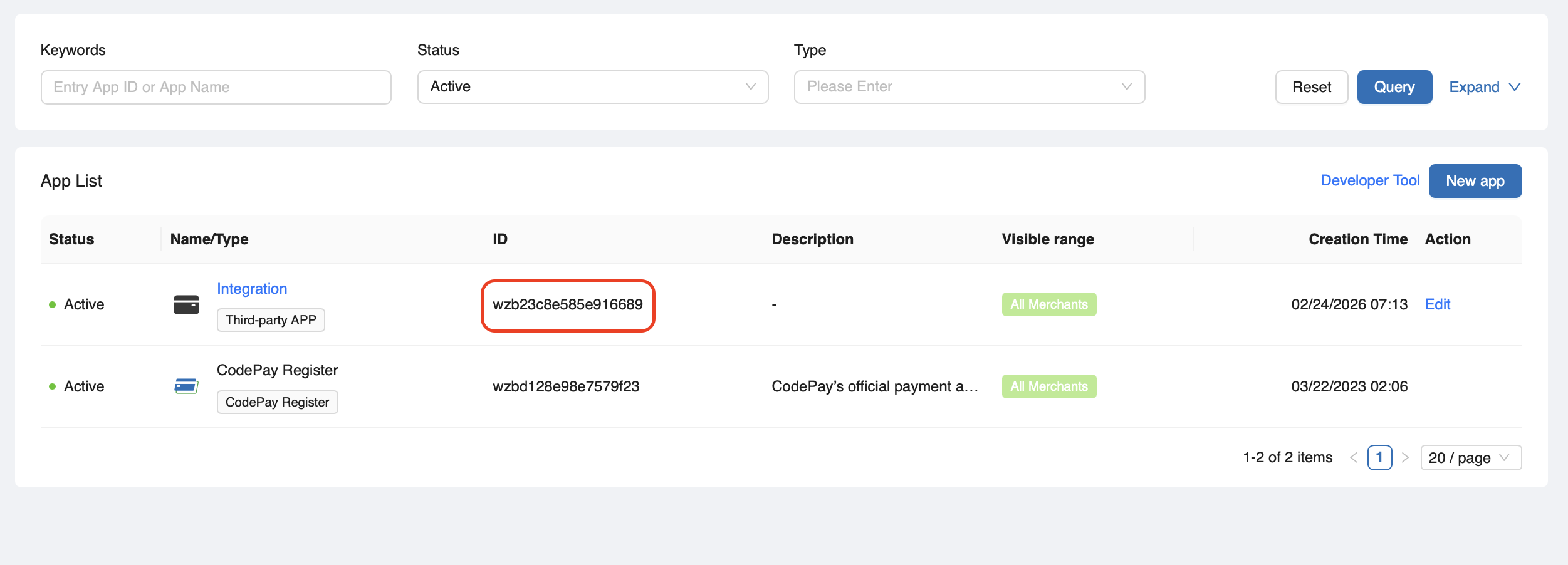
Create payment app id (PAID)
When your POS app connects to a CodePay Terminal or CodePay Open API, your semi-integrated app must send a Payment App ID (PAID) that is created for your app.
It lets CodePay to checks and verifies your POS app, also record and track payments made through your app.
If you build integrations for more than one platform, you can create a separate app and a different PAID for each one. This helps CodePay give better support, record and track payments.
For example:
- If you build POS apps for Web and Android,
Do not use the same PAID for both apps.
- one for Web
- one for Android :::
Generate Payment App ID
Log in to CodePay PayPilot.
From the top navigation menu, click Settings > Payment Apps > New app.
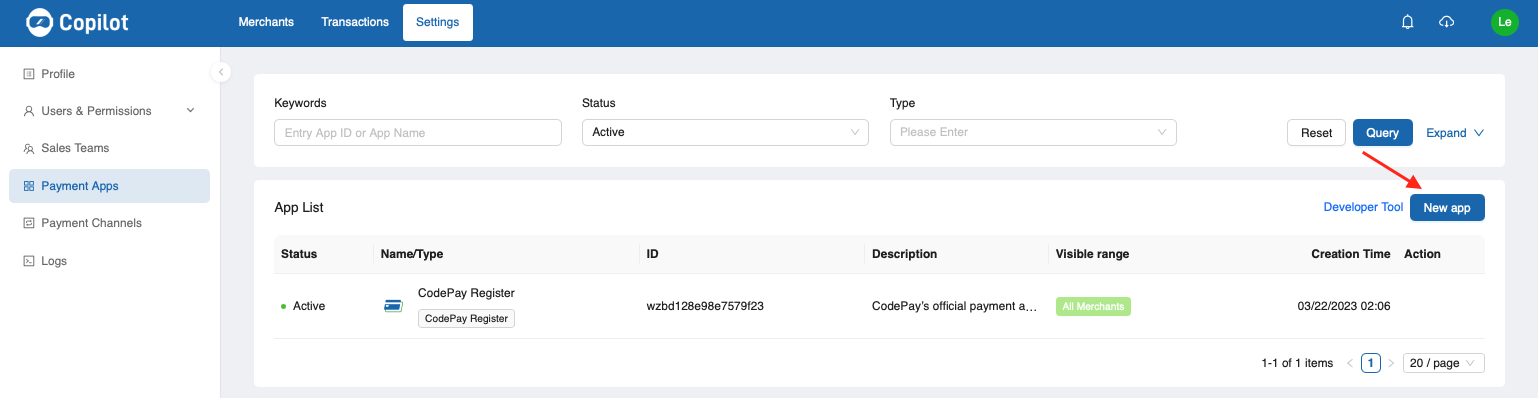
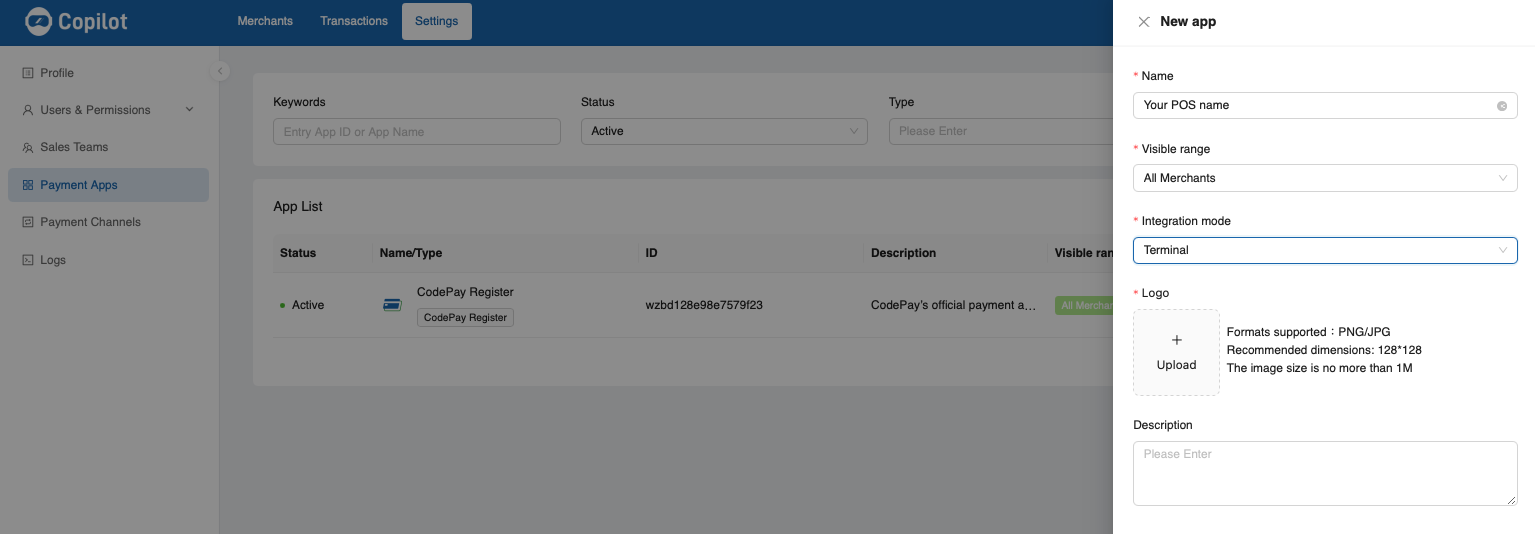
Click New app. The App setting page appears. Input your POS name, select the integration mode, upload your POS logo.
Click Save. The App list page displays the generated PAID.